
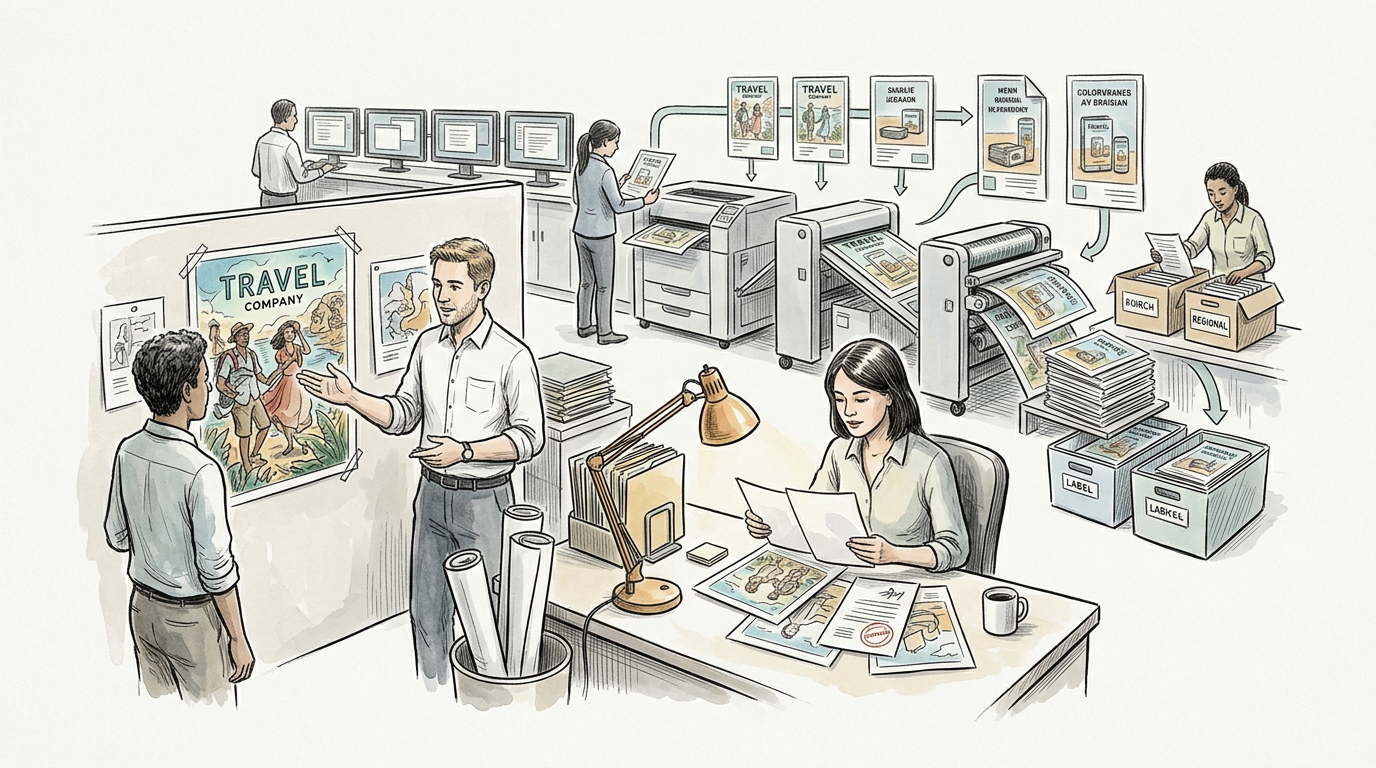
Creative automation is often discussed as if it were mainly an AI story. In practice, much of its value in advertising and marketing comes from something less dramatic and more operational: making high volumes of creative variations from structured inputs, approved rules, and reusable templates. That matters because modern campaigns rarely run as a single finished asset. They run as many assets at once, adapted across placements, formats, audiences, languages, markets, and product assortments.
For creative and marketing teams, versioning at scale has become a production problem as much as a concepting problem. A retail campaign may need thousands of product-specific display ads. A global brand may need the same campaign adapted for multiple languages and regulatory contexts. A social team may need dozens of aspect ratios and cutdowns from a single master concept. The demand is not simply for more content, but for more correctly assembled content. Creative automation has emerged to address that production burden.
What creative automation actually does
Creative automation refers to software systems that generate multiple creative outputs from predefined design structures, content rules, and data sources. These systems are not all the same, and they are not all generative AI tools. Many rely on structured templates, dynamic asset insertion, business rules, APIs, and workflow automation rather than text-to-image or text-generation models.
At a practical level, a creative automation system usually combines several elements:
• A template or modular design file with locked and editable regions
• Structured inputs such as headlines, product names, prices, legal copy, images, logos, and calls to action
• Rules that govern layout behavior, character limits, image cropping, language substitutions, and brand constraints
• Data connections to product information systems, customer databases, or media platforms
• Export or publishing workflows that create output files in required formats and sizes
This is why creative automation is closely related to digital asset management, product information management, content operations, and ad serving workflows. In many organizations, it is less a standalone miracle tool than a layer in a broader production system.
Why versioning became a serious operational issue
Digital advertising expanded the number of places where brands need creative, but platforms also narrowed the tolerances for getting that creative wrong. Teams now work across display, paid social, retail media, online video, connected TV, ecommerce marketplaces, CRM, and websites, each with its own size requirements, text overlays, safe zones, metadata needs, and approval processes.
At the same time, marketers increasingly want creative tailored to specific contexts:
• Market or regional localization
• Language adaptation
• Audience segment personalization
• Product-level messaging
• Promotional timing
• Retailer-specific branding or compliance requirements
• Platform-specific aspect ratios and placements
The result is a multiplication effect. One campaign concept can easily become hundreds or thousands of deliverables. Without automation, much of that work falls to designers, production artists, or agency operations teams who spend substantial time resizing, swapping copy, replacing product shots, updating prices, and exporting files rather than developing new creative ideas.
This is the production bottleneck creative automation is designed to reduce.
Template-driven production is the core mechanism
The most established form of creative automation is template-driven production. In this model, creative teams build master templates with defined logic. Certain brand elements remain fixed, while other components can change based on data or workflow inputs.
For example, a display ad template might lock the logo, color palette, legal footer, and CTA style while allowing the headline, product image, price, and background treatment to vary within set boundaries. A system can then generate large volumes of output by inserting approved content into that structure.
This approach is particularly useful when consistency matters more than unlimited visual freedom. It is common in:
• Retail and ecommerce ads
• Franchise and field marketing materials
• Co-branded local advertising
• Promotional and seasonal campaigns
• Dynamic social formats
• CRM and lifecycle messaging
• Catalog, flyer, and shoppable creative production
The tradeoff is straightforward. Strong templates improve scale and consistency, but they require deliberate design thinking upfront. Poorly built templates simply automate bad production.
Localization is more than translation
Localization is one of the clearest use cases for creative automation, but it is often misunderstood as a simple language swap. Effective localization usually involves several layers:
• Translating or transcreating copy
• Adjusting text length to fit design constraints
• Replacing imagery to reflect local culture or market relevance
• Updating prices, currencies, units, dates, and legal disclaimers
• Meeting local platform, accessibility, or regulatory requirements
Automation can handle some of these reliably when the inputs are structured. Currency changes, date formats, market-specific disclaimers, and approved terminology libraries are well suited to rules-based production. Automated resizing of text areas and layout adaptation can also work when templates are designed to account for language expansion.
However, language adaptation has limits. Some languages consistently require more space than English, while others change the visual rhythm of a design. Literal translation may preserve meaning but weaken brand tone or call-to-action performance. Automated systems can insert approved translations, but that does not eliminate the need for human review, especially for brand nuance, idiom, legal compliance, and cultural fit.
This is where marketers sometimes overestimate the technology. Automation can speed multilingual production. It does not guarantee that localized creative will be persuasive or appropriate.
Resizing and format adaptation save time, but not all judgment
Resizing is one of the most common and credible automation benefits. A single campaign may need to appear in multiple standard display sizes, social formats, story units, vertical video frames, ecommerce modules, and retailer placements. Software can automate much of this adaptation by using responsive rules for image crops, text boxes, alignment zones, and element hierarchy.
This can remove a large amount of repetitive labor from production workflows. It is particularly effective when a campaign already follows a modular design system. If the hierarchy is clear and the assets are properly tagged, the software can create usable first-pass versions across many formats far faster than manual rebuilding.
But resizing is not the same as redesign. A 16:9 video key frame does not always translate cleanly into a vertical story unit. A banner layout that works at 300×250 may lose impact at smaller dimensions if the concept depends on detail or long copy. In other words, automated resizing can generate technically correct assets while still producing strategically weak ones.
For that reason, many teams now treat automation as a production accelerator, not as a substitute for format-aware creative decisions. The system can create the version. People still need to decide whether that version is good enough to run.
Product feeds have made automation especially important in retail media
One area where creative automation has become especially relevant is product-feed-driven advertising. Retailers, marketplaces, and performance marketers increasingly build ads from structured product catalogs that include names, images, prices, discounts, availability, ratings, and other attributes.
Platforms such as Google, Meta, Amazon, and retail media networks have long used product feeds in various ad formats, but the operational challenge extends beyond platform-native units. Brands and agencies often want more control over the look and feel of product-led creative while still using live or regularly updated catalog data.
Creative automation helps bridge that gap by linking design templates to product feeds. Instead of manually producing separate assets for every SKU or offer, teams can generate ads automatically based on available inventory, promotional logic, geography, or retailer requirements.
This creates obvious efficiencies, but it also raises quality questions. Product feed data is often messy. Titles may be too long. Images may be cropped poorly. Promotional pricing may update faster than creative approvals. Attribute inconsistencies can produce awkward or inaccurate outputs. Automated creative built on flawed source data tends to surface those flaws at scale.
For marketers, this means that feed governance becomes creative governance. Clean data, naming standards, image specifications, and QA processes are not back-office technical details. They directly affect what consumers see.
The workflow shift: less repetitive assembly, more system design
The most important change creative automation brings may not be the software itself, but the redistribution of labor around it.
When automation works well, it reduces repetitive assembly work: resizing, swapping assets, updating text variants, changing market details, and exporting large file sets. That can free time for concept development, art direction, strategic testing, and editorial judgment.
At the same time, it increases the need for a different kind of creative and operational work:
• Building modular brand systems
• Designing robust templates
• Defining content rules and fallback logic
• Structuring asset libraries and metadata
• Maintaining product and campaign data quality
• Reviewing outputs systematically
• Coordinating among creative, media, martech, localization, and legal teams
In other words, automation often removes manual repetition but increases dependence on systems thinking. Teams that once solved problems one asset at a time now need to solve them at the template, taxonomy, and workflow level.
That has professional implications for agencies and in-house teams alike. Production designers may spend less time on routine exports and more time on template engineering. Creative operations teams may become more central. Brand governance and localization teams may need closer involvement earlier in the process. Media and creative may need more shared planning, since versioning logic often depends on placement requirements and audience strategy.
Where AI fits, and where it does not
AI is increasingly being added to creative automation platforms, but its role should be described carefully. The most dependable automation in scaled versioning still comes from rules, templates, and structured data. AI may help in specific parts of the workflow, such as:
• Drafting headline variations
• Suggesting product descriptions or CTAs
• Tagging assets with metadata
• Recommending crops or layout adjustments
• Assisting with translation drafts
• Identifying policy or brand-rule issues for review
Some of these uses are already practical. Others work inconsistently depending on the brand, language, creative format, and review process. Vendor claims often imply that AI can generate endless high-quality variants with minimal human input. In production environments, the reality is more limited. Generated copy may ignore legal constraints. Suggested crops may miss focal points. Automated translations may be grammatically correct but commercially weak. Brand language can drift surprisingly quickly when generation is not tightly controlled.
For versioning at scale, AI is often most useful when constrained by approved systems rather than asked to invent freely. A model can be helpful inside a template-driven workflow. It is less reliable as a replacement for the template-driven workflow.
Quality control becomes more important, not less
A persistent misconception is that automation reduces the need for review because the process is standardized. In reality, scale increases the importance of quality control because a single configuration error can affect hundreds or thousands of outputs.
Quality assurance in creative automation usually needs to cover at least four categories:
First, technical correctness. Do files export in the right dimensions, formats, file weights, and color settings? Do videos meet platform specifications? Are links, metadata, and naming conventions correct?
Second, brand consistency. Are logos, typography, spacing, imagery use, and CTA treatments aligned with guidelines? Does the automation preserve hierarchy and legibility across all variants?
Third, content accuracy. Are product names, prices, disclaimers, market details, and localized copy correct and current? Does dynamic data render properly when a field is missing or unusually long?
Fourth, strategic suitability. Does the asset still communicate effectively in that placement, language, or context? A version can be technically valid and still not be persuasive.
This is why mature automation programs usually rely on staged approvals, exception handling, and sampling procedures rather than fully unattended output. Some organizations also use automated validation rules to flag overset text, missing assets, broken links, or out-of-bounds design changes before human review begins.
What automation changes for testing and optimization
Versioning at scale can improve creative testing, but only if teams distinguish between meaningful experimentation and volume for its own sake.
Automation makes it easier to produce multiple variants of offers, images, headlines, CTAs, and market-specific details. That can support faster multivariate or sequential testing, especially in performance marketing environments where product-level or audience-level differences matter. It also helps media teams align creative more closely with inventory changes, retail promotions, or local conditions.
However, generating more variants does not automatically create better learning. If teams cannot track which variables changed, or if the differences among variants are too minor or too numerous, analysis becomes noisy. Automated versioning can produce a large amount of creative without producing clear insight.
The operational discipline matters. Testing requires a documented hypothesis, version control, measurement alignment, and enough consistency to interpret results. Creative automation can support that process, but it does not replace it.
The limitations are often organizational, not only technical
When creative automation disappoints, the cause is not always the software. Many failures come from organizational mismatches.
A brand may want local flexibility while central teams insist on tight control. A creative department may design for bespoke execution while media teams need modular output. Product data may be incomplete. Legal review may not be structured for dynamic disclaimers. Localization may happen too late. Asset libraries may lack the metadata required for automated selection.
These are not minor implementation details. They determine whether automation saves time or creates another layer of cleanup work.
There is also an economic reality. Creative automation is most valuable where volume, repetition, and structured variation are high. It is less useful for one-off brand films, highly custom editorial concepts, or campaigns whose effectiveness depends on format-specific craft in every execution. Teams need to identify which parts of production are genuinely automatable and which still benefit from bespoke design attention.
What advertising and marketing professionals should understand
Creative automation changes versioning at scale by shifting effort from manual asset production to system design, data discipline, and oversight. Its strongest use cases are not mysterious. They involve repetitive, rules-based adaptation across formats, languages, products, and markets. That includes resizing, feed-driven creative, localization workflows, modular campaign execution, and high-volume promotional production.
The benefits are real when the work is structured appropriately. Teams can reduce repetitive production labor, improve consistency, speed campaign rollout, and better support channel-specific adaptation. But those benefits depend on the quality of templates, the reliability of source data, and the rigor of review processes.
What does not change is the need for judgment. Someone still has to decide what the template should prioritize, what a local audience needs, how brand language should travel across markets, when a resized asset stops working, and whether a generated version is worth showing to the public. Automation can make versioning faster and broader. It does not make creative systems self-managing.
For advertisers and marketers, the practical question is not whether automation can create more versions. It clearly can. The more important question is whether the organization has the design systems, data quality, workflow coordination, and quality control needed to make those versions useful. That is where scaled production becomes a strategic capability rather than just a software feature.
Leave a Reply